Reinforcement Learning for task planning
Reinforcement Learning is a machine learning paradigm where an agent learns by interacting with an environment, receiving rewards (feedback) based on the consequences of its actions.
In reinforcement learning, the environment is typically modeled as a Markov Decision Process (MDP). This means that the probability of transitioning to the next state depends only on the current state and action, not on the full history of past states. This is known as the Markov property, and it implies that the current state contains all the necessary information for optimal decision-making, simplifying the computation.
At each time step \(t\) , the agent:
- Observes a state \(s_t\)
- Chooses an action \(a_t\)
- Receives a reward \(r_{t+1}\)
- Transitions to a new state \(s_{t+1}\)
The goal is to learn a policy \(\pi \left(a|s\right)\) that maximizes the cumulative future rewards.
The training process involves the agent exploring the environment by trying different actions and observing the outcomes. Using this experience, the agent updates its policy to favor actions that lead to higher rewards. This is often done through algorithms that estimate the expected return of actions, such as Q-learning or policy gradient methods.
To succeed, an agent must balance the tradeoff between exploration —trying unfamiliar actions to discover their effects—and exploitation —choosing actions known to yield high reward.
Why Use Reinforcement Learning for Task Planning in Pick and Place?
In robotic tasks like pick and place, the robot needs to make decisions step by step to move an object from one location to another. It may have to avoid obstacles, act precisely, and adapt to changing conditions in the environment. Reinforcement learning (RL) offers several advantages for this kind of task planning:
- It can handle noise in sensors or actions: In a real-world environment, cameras may produce inaccurate images, detections might be noisy, and the robotic arm might not execute actions exactly as intended. Reinforcement learning allows the robot to learn how to act effectively even when its observations or actions are imperfect.
- It can adapt efficiently to failures: If the robot tries to grasp an object and fails, or if the object slips and falls, a traditional planner might need to recompute a full new plan. In contrast, an agent trained with reinforcement learning follows a learned policy that allows it to respond dynamically and take another action without re-planning from scratch.
- It is well suited for stochastic environments: In robotics, actions are often not deterministic: moving the arm to a certain position may result in different outcomes depending on the environment (e.g., if other objects are moving, or if external forces are present). RL is specifically designed to learn in environments where actions do not always produce the same result.
- It makes step-by-step decisions and is efficient at execution time: Once trained, the agent does not need to compute a complete plan at every step. It simply observes the current state and chooses the best action according to its policy. This allows the robot to act quickly and efficiently in real time, without heavy computation during execution.
Lesson Goal
In this lesson, the student will implement the core components of the PickPlaceDiscreteEnv environment, which simulates a robotic arm tasked with moving objects to target positions along a discrete one-dimensional grid.
The agent will be trained using the DQN algorithm, and later enhanced with Hindsight Experience Replay (HER) to improve learning in sparse-reward scenarios.
Installation
Install Reinforcement Learning Toolbox
To complete this lesson, you need the Reinforcement Learning Toolbox™.
If you haven't installed it yet, follow these steps:
- Open MATLAB.
- Go to the Home tab.
- Click on Add-Ons > Get Add-Ons.
- Search for "Reinforcement Learning Toolbox™" and click Install.
Verify Installation in Code
You can run the following code to check whether the toolbox is installed:
toolboxTable = matlab.addons.installedAddons;
if ~any(contains(toolboxTable.Name, "Reinforcement Learning Toolbox"))
    error(['Reinforcement Learning Toolbox is not installed.\n' ...
           'Please install it via Add-On Explorer (Home > Add-Ons > Get Add-Ons).']);
else
    disp("✅ Reinforcement Learning Toolbox is installed.");
end
✅ Reinforcement Learning Toolbox is installed.
Creating an environment
Exercise 1 - Initializing the Environment State:
In this first exercise, you will implement a function that resets the environment state and returns an initial observation.
The state of our environment is composed of four elements, which represent what the reinforcement learning agent "sees" at each time step:
1. this.arm_pos — Robot Arm Position
Indicates the current position of the robotic arm.
Its value is an integer between 1 and num_locations.
At the beginning of each episode, this value is randomly selected from that range.
2. this.arm_state — Arm Holding State
Indicates whether the robot arm is holding an object.
Its value ranges from 0 to num_objects:
0means the arm is empty.1means it is holding object 1,2means it is holding object 2, and so on.The arm always starts empty, so the default value is0.
3. this.objects_pos — Current Object Positions
An array that indicates the current position of each object.
objects_pos(1)is the position of object 1,objects_pos(2)is the position of object 2, and so on.
These positions are assigned randomly at the beginning, but must meet two conditions:
- No two objects can be placed at the same location.
- No object can start in the same location as the robot arm.
4. this.target_pos — Target Positions for the Objects
An array that indicates the goal position for each object:
target_pos(1)is the goal for object 1,target_pos(2)is the goal for object 2, and so on.
These target positions are also random but must satisfy:
- No two objects can share the same goal location.
- An object’s target position cannot be the same as its initial position.
Task
Your goal is to write the logic that generates the initial state for these four variables (arm_pos, arm_state, objects_pos, and target_pos) following the constraints described above.
This initial state will be returned by the reset() function of the environment.
Hints
You may find the following MATLAB functions useful for implementing this exercise:
randi– to generate random integers within a range.randperm– to generate random permutations.setdiff– to remove specific values from a set .
 %Reset environment to initial state and output initial observation
 function [this, InitialObservation] = resetFunc(this)

    % Randomize initial arm position (1-based indexing)

    % Generate valid positions for objects (excluding arm position)

    % Ensure enough valid positions for all objects


    % Generate target positions (each different from its corresponding object position)
    this.target_pos = zeros(this.num_objects, 1);
    assigned_targets = [];  % Keep track of already assigned targets to avoid repetitions

    % Build initial observation vector
    InitialObservation = [this.arm_pos;this.arm_state;this.objects_pos; this.target_pos];
    this.State = InitialObservation;

end
% Reset environment to initial state and output initial observation
function [this, InitialObservation] = resetFuncSolution(this)
    this.arm_state = 0; % 0 = empty, >0 = holding object

    % Randomize initial arm position (1-based indexing)
    this.arm_pos = randi([1,this.num_locations]);

    % Generate valid positions for objects (excluding arm position)
    valid_positions = setdiff(1:this.num_locations, this.arm_pos);

     % Initialize map of objects (all locations empty)
     this.map_objects = zeros(this.num_locations, 1);

    % Ensure enough valid positions for all objects
    if length(valid_positions) >= this.num_objects
        % Select random positions for objects (no overlap, not at arm)
        selected_indices = randperm(length(valid_positions), this.num_objects);
        this.objects_pos = valid_positions(selected_indices)';
        for i = 1:this.num_objects
            this.map_objects(this.objects_pos(i)) = i;
        end
    else
        error('Not enough valid positions for objects');
    end

    % Generate target positions (each different from its corresponding object position)
    this.target_pos = zeros(this.num_objects, 1);
    assigned_targets = [];  % Keep track of already assigned targets to avoid repetitions

    for i = 1:this.num_objects
        % Valid target positions exclude the current object position and already assigned targets
        valid_targets = setdiff(1:this.num_locations, [this.objects_pos(i), assigned_targets]);
        % Select random target from valid positions
        selected_index = randperm(length(valid_targets), 1);
        this.target_pos(i) = valid_targets(selected_index);
        % Add this target to assigned targets
        assigned_targets = [assigned_targets, this.target_pos(i)];
    end

    % Build initial observation vector
    InitialObservation = [this.arm_pos;this.arm_state;this.objects_pos; this.target_pos];
    this.State = InitialObservation;

end
Testing Reset Function
test = tests.TestResetFuncPickPlaceEnv;
test.ResetFuncHandle = @resetFuncSolution;
result = run(test);
Running tests.TestResetFuncPickPlaceEnv
.....
Done tests.TestResetFuncPickPlaceEnv
__________
Exercise 2 – Implementing the Step Function:
In this exercise, you will implement the step function for the environment, which defines how the environment transitions from one state to another in response to an action taken by the agent.
The agent interacts with the environment using discrete actions:
Action 1: Pick
The robot arm attempts to pick up an object at its current position.
This action is only valid if:
- The arm is empty.
- There is an object at the arm’s position.
Action 2: Place
The robot arm attempts to place the currently held object at its current position.
This action is only valid if:
- The arm is holding an object.
- The target position is empty.
Actions 3 and above: Move to Location
The robot arm moves to a new location.
These actions map to moving the arm to a specific location. However, since actions 1 and 2 are already reserved for pick and place, the location index must be derived by subtracting an offset of 2 from the action value.
- For example:
Action 3→ move tolocation 1Action 4→ move tolocation 2Action 5→ move tolocation 3
Task
Your goal is to write the logic of the step() function that performs the following:
- Executes the action specified by the input
Action - Updates the internal state of the environment accordingly
- Returns the new state
Hints
- Use "
Action - 2"to compute the target location index for movement actions.function [this, Observation, Reward, IsDone, Info] = stepFucntion(this, Action) % Handle pick action if Action == 1 % Handle place action elseif Action == 2 % Handle move to location action elseif Action > 2 end % Build new observation vector Observation = [this.arm_pos;this.arm_state;this.objects_pos; this.target_pos]; % Compute reward using external reward function Reward = RewardFunc({this.State}, {Action}, {Observation}); % Store the current reward for visualization this.CurrentReward = Reward; % Check if episode is done using external function IsDone = IsDoneFunc({this.State}, {Action}, {Observation}); % Update system states this.State = Observation; Info = []; % Update internal done flag this.IsDone = IsDone; end
function [this, Observation, Reward, IsDone, Info] = stepFuncSolution(this, Action)

    % Handle pick action
    if Action == 1 % pick
        % Arm must be empty and there must be an object at the arm's position
        if this.arm_state == 0 && this.map_objects(this.arm_pos) > 0
            obj_index = this.map_objects(this.arm_pos);
            % Pick up the object
            this.arm_state = obj_index;
            this.map_objects(this.arm_pos) = 0;
            this.objects_pos(obj_index) = 0; % 0 means object is being carried
        end

        % Handle place action
    elseif Action == 2 % place
        % Arm must be holding an object and the location must be empty
        if this.arm_state > 0 && this.map_objects(this.arm_pos) == 0
            obj_index = this.arm_state;
            new_obj_pos = this.arm_pos;
            current_target_pos = this.target_pos(obj_index);
            % Place the object at the current arm position
            this.map_objects(new_obj_pos) = obj_index;
            this.objects_pos(obj_index) = new_obj_pos;
            this.arm_state = 0; % Arm is now empty
        end

        % Handle move to location action
    elseif Action > 2 % move to location
        is_holding_obj = this.arm_state > 0;
        obj_index = this.arm_state;

        new_location = Action - 2; % Actions 3,4,5,... map to locations 1,2,3,...
        % Move the arm to the new location
        this.arm_pos = new_location;

    end

    % Build new observation vector
    Observation = [this.arm_pos;this.arm_state;this.objects_pos; this.target_pos];

    % Compute reward using external reward function
    Reward = RewardFunc({this.State}, {Action}, {Observation});
    % Store the current reward for visualization
    this.CurrentReward = Reward;
    % Check if episode is done using external function
    IsDone = IsDoneFunc({this.State}, {Action}, {Observation});
    % Update system states
    this.State = Observation;
    Info = [];

    % Update internal done flag
    this.IsDone = IsDone;


end
Testing Step Function
test = tests.TestStepFuncPickPlaceEnv;
test.StepFuncHandle = @stepFuncSolution;
result = run(test);
Running tests.TestStepFuncPickPlaceEnv
........
Done tests.TestStepFuncPickPlaceEnv
__________
Exercise 3 – Implementing the IsDone Function:
In this short exercise (only one line of code), you will implement a function that checks whether the task has been successfully completed. This function will be called at every time step and should return true if the goal has been achieved, and false otherwise.
This logic is useful for signaling the end of an episode in reinforcement learning.
In this task, we assume there is only one object in the environment.
Hint
You can access the state values using NextState{1}. For example, to access the first value, use NextState{1}(1).
function isdone = IsDoneFunc(State, Action, NextState)
    %isdone = .... you only need to complete this line
    isdone = IsDoneFuncSolution(State, Action, NextState);
end
function isdone = IsDoneFuncSolution(State, Action, NextState)
    isdone = NextState{1}(3) == NextState{1}(4);
end
Testing IsDone Function
test = tests.TestIsDoneFuncPickPlaceEnv;
test.IsDoneFuncHandle = @IsDoneFuncSolution;
result = run(test);
Running tests.TestIsDoneFuncPickPlaceEnv
..
Done tests.TestIsDoneFuncPickPlaceEnv
__________
Understanding Reward Function
The reward function is designed to guide the learning agent step by step toward completing the task, while penalizing unproductive or invalid actions. It provides both positive feedback for progress and penalties for mistakes, effectively shaping the agent's behavior over time.
At the beginning of each step, the agent receives a penalty of -2 for each object that is not yet in its target position. This encourages the agent to reduce the number of misplaced objects as quickly as possible.
To incentivize progress, small positive rewards are added for every subgoal achieved:
- +0.5 for moving the arm toward an object that is not in its goal location.
- +1 for picking up such an object (provided it is not already correctly placed).
- +1.5 for moving the object toward its goal location.
- Final reward of +2 is granted when the task is fully completed (i.e., all objects are in their target locations).
Penalties for Invalid Actions
To discourage poor behavior, the agent is penalized:
- −5 for invalid actions such as:
- Trying to pick an object when there’s none.
- Trying to pick when already holding something.
- Trying to place an object where another one already exists.
- −0.01 for inefficient or redundant movements, such as moving to the same location.
Overall Purpose
The goal of this reward function is to serve as a kind of heuristic distance to the goal. By providing intermediate rewards and penalties, it helps the reinforcement learning agent understand which actions bring it closer to the objective, and which ones are wasteful or harmful. This structured feedback is essential for effective learning in complex environments.
function reward = RewardFunc(State, Action, NextState)

    % Check if the task has been completed
    isdone = IsDoneFunc(State, Action, NextState);

    if isdone
        % If the task is done, give a high positive reward
        reward = 2;
    else
        % Start from zero reward and adjust based on the action
        reward = 0;

        % Extract current state information
        arm_pos = State{1}(1);            % Current position of the robotic arm
        arm_state = State{1}(2);          % Whether the arm is holding an object
        objects_pos = State{1}(3);      % Current positions of the two objects
        target_pos = State{1}(4);       % Target positions of the two objects

        Action = Action{1};               % Extract the scalar action value

        % Action 1: Pick an object
        if Action == 1
            % Check if there is an object at the arm's position
            [hasObject, idx] = hasObjectAtPosition(objects_pos, arm_pos);

            % Valid pick: arm is empty and there's an object to pick
            if arm_state == 0 && hasObject
                % Positive reward if the object is not already at its target
                if target_pos(idx) ~= arm_pos
                    reward = reward + 1;
                else
                    % Penalty for picking an object that is already in its goal location
                    reward = reward - 5;
                end
            else
                % Invalid pick (either arm is not empty or no object present)
                reward = reward - 5;
            end

        % Action 2: Place an object
        elseif Action == 2
            [hasObject, idx] = hasObjectAtPosition(objects_pos, arm_pos);

            % Valid place: arm is holding an object and location is empty
            if arm_state > 0 && ~hasObject
                obj_index = arm_state;  % Object being held
                % No extra reward added here, reward handled below if state becomes "done"
            else
                % Invalid place (trying to place on an occupied position or while arm is empty)
                reward = reward - 5;
            end

        % Action > 2: Move the arm to another location
        elseif Action > 2
            is_holding_obj = arm_state > 0;
            obj_index = arm_state;
            new_location = Action - 2;  % Convert action number to location index

            [hasObject, idx] = hasObjectAtPosition(objects_pos, new_location);

            if arm_pos == new_location
                % Penalize unnecessary movement to the current position
                reward = reward - 0.01;

            elseif is_holding_obj && new_location == target_pos(obj_index)
                % Reward for moving directly toward the goal with the object
                reward = reward + 1.5;

            elseif ~is_holding_obj && hasObject && target_pos(idx) ~= new_location
                % Reward for moving toward an object that needs to be picked
                reward = reward + 0.5;

            else
                % Slight penalty for other types of movement
                reward = reward - 0.01;
            end
        end

        % Final penalty for any objects that are not at their target positions
        objects_pos = NextState{1}(3);
        target_pos = NextState{1}(4);

        for i = 1:length(objects_pos)
            if objects_pos(i) ~= target_pos(i)
                reward = reward - 2;
            end
        end
    end
end

function [hasObject, idx] = hasObjectAtPosition(objects_pos, position)
    % Check if there's any object at the specified position
    % objects_pos: array containing object positions [obj1_pos, obj2_pos, ...]
    % position: position to check
    % Returns: hasObject (true if there's an object at the position, false otherwise)
    %          idx (index of the object if found, -1 otherwise)

    idx = find(objects_pos == position, 1); % Encuentra el primer índice
    if ~isempty(idx)
        hasObject = true;
    else
        hasObject = false;
        idx = -1;
    end
end
Training a model
Fix Random Number Stream for Reproducibility
The example code might involve computation of random numbers at various stages. Fixing the random number stream at the beginning of various sections in the example code preserves the random number sequence in the section every time you run it, and increases the likelihood of reproducing the results. For more information, see Results Reproducibility.
Fix the random number stream with seed 0 and random number algorithm Mersenne Twister. For more information on controlling the seed used for random number generation, see rng.
previousRngState = rng(0,"twister");
Creating an instance of the environment
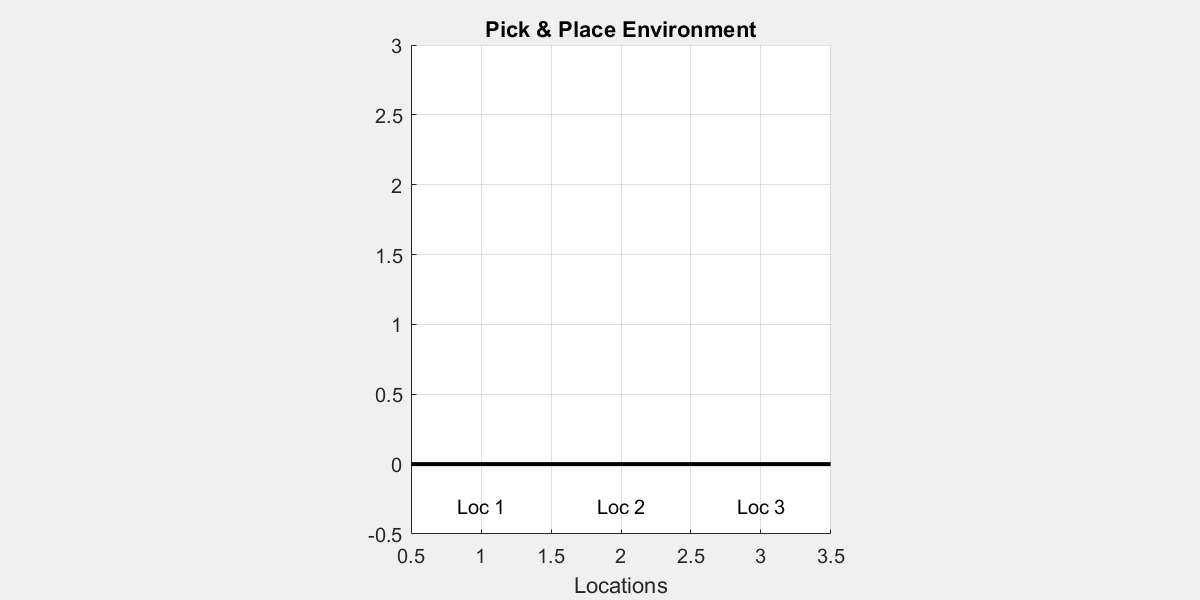
This line creates an instance of a custom pick-and-place environment.
env_pick_place = PickPlaceDiscreteEnv2(1, 3, @stepFuncSolution, @resetFuncSolution);
Creating a DQN Agent
Here, we define the agent that will learn to interact with the environment.
obsInfoandactInfoprovide the structure of the observation and action spaces, respectively.rlDQNAgentcreates a Deep Q-Network (DQN) agent, which approximates the optimal Q-value function using a neural network.obsInfo = getObservationInfo(env_pick_place); actInfo = getActionInfo(env_pick_place); dqnAgent = rlDQNAgent(obsInfo,actInfo);
Configuring Agent Parameters
These settings control the behavior and learning dynamics of the agent:
- Epsilon-greedy exploration: Starts with full exploration (
Epsilon = 1.0) and gradually reduces it to encourage exploitation as learning progresses. - Mini-batch size: Number of experiences sampled from the replay buffer during each training step.
- Learning rate: Controls how quickly the critic network updates.
- Gradient threshold: Prevents exploding gradients during training by setting a limit on the magnitude.
dqnAgent.AgentOptions.EpsilonGreedyExploration.Epsilon = 1.0;
dqnAgent.AgentOptions.EpsilonGreedyExploration.EpsilonMin = 0.01;
dqnAgent.AgentOptions.EpsilonGreedyExploration.EpsilonDecay = .0001;
dqnAgent.AgentOptions.MiniBatchSize = 32;
dqnAgent.AgentOptions.CriticOptimizerOptions.LearnRate = 5e-4;
dqnAgent.AgentOptions.CriticOptimizerOptions.GradientThreshold = 10;
Configuring Training Parameters
These options define how the training will be carried out:
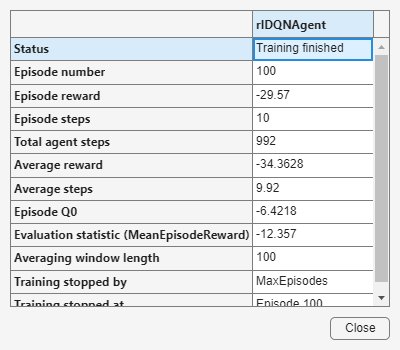
- The agent will be trained for up to 100 episodes, each lasting at most 29 steps.
- Training will automatically stop early if the average score exceeds 1.9.
maxEpisodes = 100;
maxStepsPerEpisode = 20;
trainOpts = rlTrainingOptions(...
    MaxEpisodes=maxEpisodes, ...
    MaxStepsPerEpisode=maxStepsPerEpisode, ...
    Verbose=false, ...
    ScoreAveragingWindowLength=100,...
    Plots="training-progress",...
    StopTrainingCriteria="EvaluationStatistic",...
    StopTrainingValue=1.9);
An evaluation policy is added to periodically test the agent’s performance in a deterministic way:
- Every 50 episodes, the agent is evaluated over 10 episodes using fixed random seeds.
evaluator = rlEvaluator( ...
    EvaluationFrequency=50, ...
    NumEpisodes=10, ...
    RandomSeeds=101:110);
Starting training
trainingStats = train(dqnAgent, env_pick_place, trainOpts, Evaluator=evaluator);
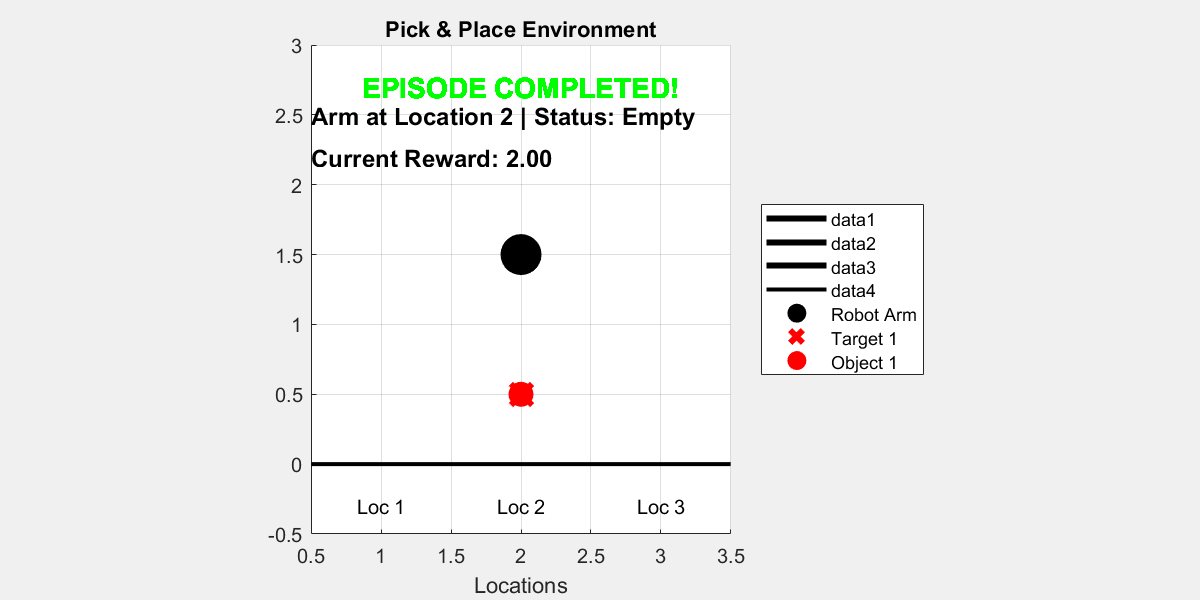
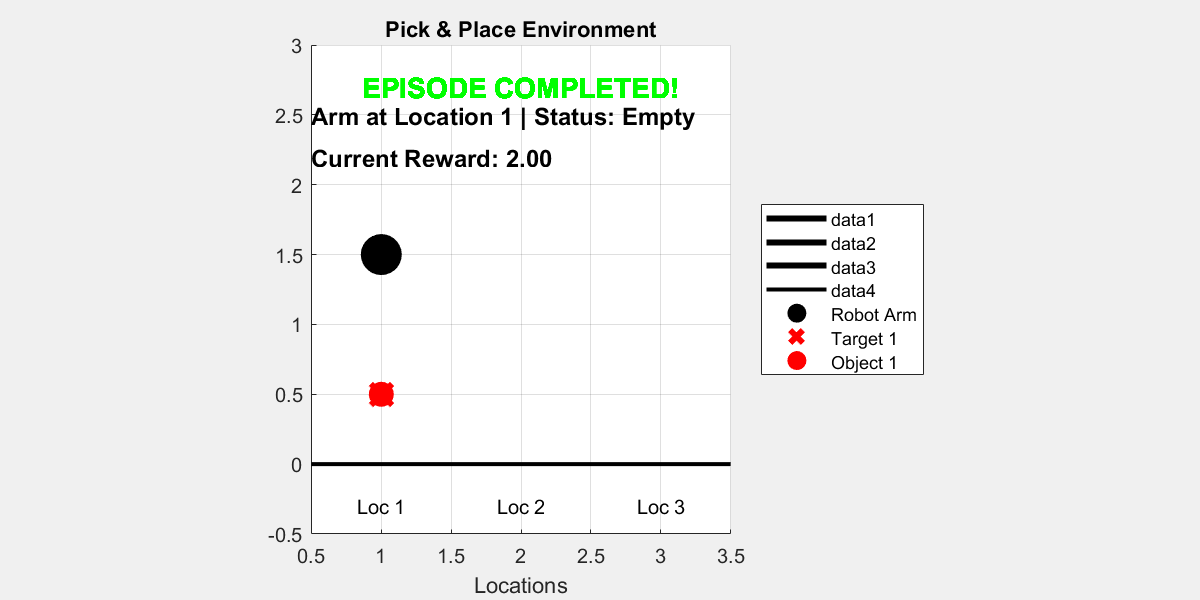
Visualize the trained agent interacting with the environment
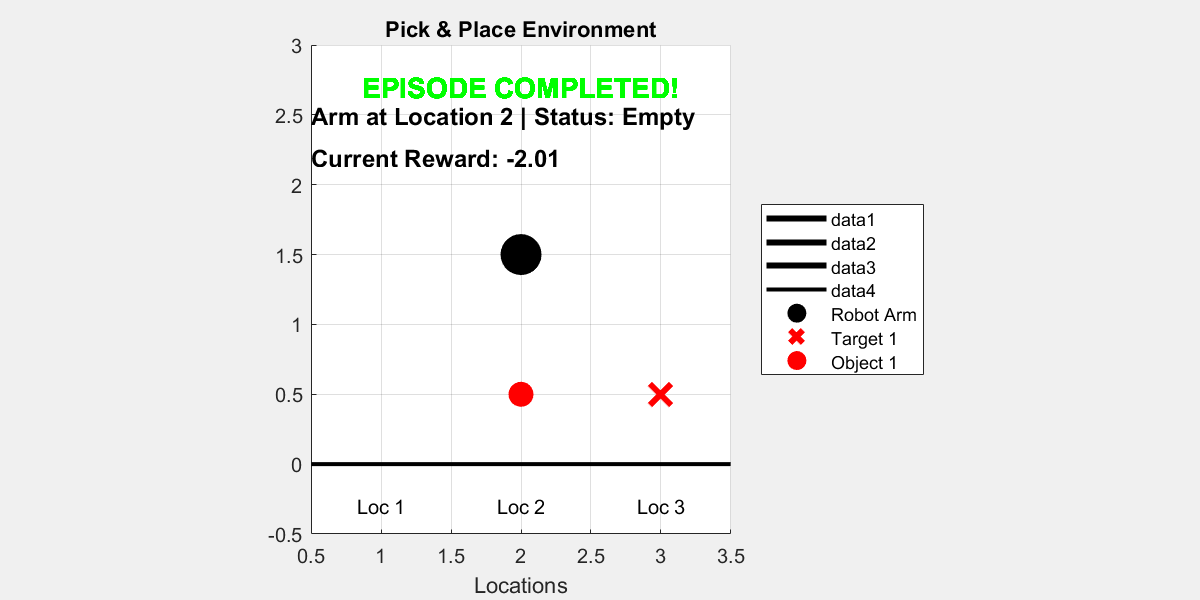
plot(env_pick_place)

for i = 1:10
    rng();
    simOptions = rlSimulationOptions(MaxSteps=15);
    sim(env_pick_place, agent, simOptions);

    pause(1);
end
ans = struct with fields:
     Type: 'twister'
     Seed: 0
    State: [625x1 uint32]

ans = struct with fields:
     Type: 'twister'
     Seed: 0
    State: [625x1 uint32]

ans = struct with fields:
     Type: 'twister'
     Seed: 0
    State: [625x1 uint32]

ans = struct with fields:
     Type: 'twister'
     Seed: 0
    State: [625x1 uint32]

ans = struct with fields:
     Type: 'twister'
     Seed: 0
    State: [625x1 uint32]

ans = struct with fields:
     Type: 'twister'
     Seed: 0
    State: [625x1 uint32]

ans = struct with fields:
     Type: 'twister'
     Seed: 0
    State: [625x1 uint32]

ans = struct with fields:
     Type: 'twister'
     Seed: 0
    State: [625x1 uint32]

ans = struct with fields:
     Type: 'twister'
     Seed: 0
    State: [625x1 uint32]

ans = struct with fields:
     Type: 'twister'
     Seed: 0
    State: [625x1 uint32]
Saving the model
save('dqn_1_object.mat', 'dqnAgent');
Loading the model
load('dqn_1_object.mat', 'dqnAgent');
Using HER to train a model
In reinforcement learning (RL), sparse reward settings present a major challenge. In these environments, agents receive non-zero rewards only when they achieve very specific goal states. This means that during training, the agent may perform many actions without receiving any meaningful feedback, making it difficult to learn effective policies.
Hindsight Experience Replay (HER is a powerful technique to address this problem. The main idea behind HER is to reinterpret failed episodes as if they were successful, by changing the goal during replay. For example, suppose the agent was trying to reach goal g but ended up in a different final state s′. Instead of discarding this trajectory as a failure, HER allows us to relabel the experience by pretending that the agent’s goal was actually g′ = s′, the final state it did reach.
By doing this, the agent can still learn something useful from the episode, even if it didn't reach the original goal. This dramatically increases the number of informative training examples, especially in environments with sparse rewards.
In MATLAB, HER can be implemented by modifying the replay buffer to store alternative goals and generate additional training data during experience replay.
Creating a DQN Agent
obsInfo = getObservationInfo(env_pick_place);
actInfo = getActionInfo(env_pick_place);
herAgent = rlDQNAgent(obsInfo,actInfo);
Configuring Agent Parameters
herAgent.AgentOptions.EpsilonGreedyExploration.Epsilon = 1.0;
herAgent.AgentOptions.EpsilonGreedyExploration.EpsilonMin = 0.01;
herAgent.AgentOptions.EpsilonGreedyExploration.EpsilonDecay = 0.0001;
herAgent.AgentOptions.MiniBatchSize = 32;
herAgent.AgentOptions.CriticOptimizerOptions.LearnRate = 5e-4;
herAgent.AgentOptions.CriticOptimizerOptions.GradientThreshold = 10;
Adding Hindsight Experience Replay (HER)
To integrate Hindsight Experience Replay (HER) in MATLAB's Reinforcement Learning Toolbox, there are a few important components you must define:
1. A custom reward function with the following format:
function reward = RewardFunc(State, Action, NextState)
This function calculates the scalar reward given the current State, the executed Action, and the resulting NextState. These inputs must be passed as cell arrays, for example:
State = {[``1 , 0 , 1 , 3``]};
Action = {1``};
NextState = {[1 , 1 , 0 , 3``]};
This format is required by HER because it extracts subgoals and checks conditions using explicit indexing.
2. A terminal condition functio n to determine whether an episode has ended:
function isdone = IsDoneFunc(State, Action, NextState)
This function should return true if the goal is considered achieved or the episode is otherwise over. Like the reward function, it also uses cell arrays as input.
In this case, both RewardFunc and IsDoneFunc were already implemented correctly beforehand.
3. Specify what the goal condition looks like so that HER can replace the real goal with a hindsight goal in the replay buffer.
% State = [arm_pos, arm_state, obj_pos, target_pos]
% We define the goal as "obj_pos == target_pos"
% Channel = 1 (because we have one observation vector)
% Indices = 3 (object position), 4 (target position)

goalConditionInfo = {{1, [3], 1, [4]}};
This means: in channel 1, the elements at index 3 (object position) should match the elements at index 4 (target position) in channel 1.
rewardFcn = @RewardFunc;
isDoneFcn = @IsDoneFunc;
bufferLength = 5e4;
herAgent.ExperienceBuffer = rlHindsightReplayMemory(obsInfo,actInfo,...
    rewardFcn,isDoneFcn,goalConditionInfo,bufferLength);
Configuring Training Parameters
maxEpisodes = 100;
maxStepsPerEpisode = 20;
trainOpts = rlTrainingOptions(...
    MaxEpisodes=maxEpisodes, ...
    MaxStepsPerEpisode=maxStepsPerEpisode, ...
    Verbose=false, ...
    ScoreAveragingWindowLength=100,...
    Plots="training-progress",...
    StopTrainingCriteria="EvaluationStatistic",...
    StopTrainingValue=1.9);
evaluator = rlEvaluator( ...
    EvaluationFrequency=50, ...
    NumEpisodes=10, ...
    RandomSeeds=101:110);
Start Training
trainingStats = train(herAgent, env_pick_place, trainOpts, Evaluator=evaluator);
Visualize the trained agent interacting with the environment
plot(env_pick_place)

for i = 1:10
    rng();
    simOptions = rlSimulationOptions(MaxSteps=15);
    sim(env_pick_place, herAgent, simOptions);

    pause(1);
end
In this simple example with only one object, using DQN with or without Hindsight Experience Replay (HER) does not show a significant difference in performance.
However, when training with two objects, the task becomes more complex and rewards are sparser. In this case:
- DQN alone struggles to learn.
- DQN with HER learns significantly faster and more reliably.
HER helps by transforming failed episodes into useful experiences.
Saving the model
save('dqn_her_1_object.mat', 'herAgent');
Loading the model
load('dqn_her_1_object.mat', 'herAgent');
Two objects with HER
In this section, we extend the previous implementation of Hindsight Experience Replay (HER) to handle two objects in a discrete pick-and-place environment.
We start by defining a new environment with 2 objects and 6 positions:
env_pick_place = PickPlaceDiscreteEnv2(2, 6, @stepFuncSolution, @resetFuncSolution);
Creating a DQN Agent
obsInfo = getObservationInfo(env_pick_place);
actInfo = getActionInfo(env_pick_place);
herv2Agent = rlDQNAgent(obsInfo,actInfo);
Configuring Agent Parameters
herv2Agent.AgentOptions.EpsilonGreedyExploration.Epsilon = 1.0;
herv2Agent.AgentOptions.EpsilonGreedyExploration.EpsilonMin = 0.005;
herv2Agent.AgentOptions.EpsilonGreedyExploration.EpsilonDecay = 0.0008;
herv2Agent.AgentOptions.MiniBatchSize = 32;
herv2Agent.AgentOptions.CriticOptimizerOptions.LearnRate = 5e-4;
herv2Agent.AgentOptions.CriticOptimizerOptions.GradientThreshold = Inf;
Adding Hindsight Experience Replay (HER)
To enable HER with two objects, we need to modify the reward function, terminal condition (IsDoneFunc), and the goal condition information.
Reward function
In the reward function, we only need to change this code:
Original for one object:
objects_pos = State{1}(3);
target_pos = State{1}(4);
Updated for two objects:
objects_pos = State{1}(3:4);
target_pos = State{1}(5:6);
IsDone function
Original
function isdone = PickPlaceIsDoneFunc(State, Action, NextState)
    isdone = NextState{1}(3) == NextState{1}(4) ;
end
Updated:
function isdone = PickPlaceIsDoneFunc(State, Action, NextState)
    isdone = NextState{1}(3) == NextState{1}(5) && NextState{1}(4) == NextState{1}(6);
end
Goal condition
We define the goal condition using goalConditionInfo, which specifies how HER recognizes when a goal is achieved:
% State = [arm_pos, arm_state, obj1_pos, obj2_pos, target1_pos, target2_pos]
% Goal condition: both object positions must match their targets

goalConditionInfo = {{1, [3, 4], 1, [5, 6]}};
rewardFcn = @twoObjects.PickPlaceRewardFunc;
isDoneFcn = @twoObjects.PickPlaceIsDoneFunc;
bufferLength = 5e4;
herv2Agent.ExperienceBuffer = rlHindsightReplayMemory(obsInfo,actInfo,...
    rewardFcn,isDoneFcn,goalConditionInfo,bufferLength);
Configuring Training Parameters
maxEpisodes = 3000;
maxStepsPerEpisode = 45;
trainOpts = rlTrainingOptions(...
    MaxEpisodes=maxEpisodes, ...
    MaxStepsPerEpisode=maxStepsPerEpisode, ...
    Verbose=false, ...
    ScoreAveragingWindowLength=100,...
    Plots="training-progress",...
    StopTrainingCriteria="EvaluationStatistic",...
    StopTrainingValue=1.9);
evaluator = rlEvaluator( ...
    EvaluationFrequency=50, ...
    NumEpisodes=10, ...
    RandomSeeds=101:110);
Start Training
Warning: Training the model with these parameters can take around 8 hours.
trainingStats = train(herv2Agent, env_pick_place, trainOpts, Evaluator=evaluator);
Visualize the trained agent interacting with the environment
plot(env_pick_place)

for i = 1:10
    rng();
    simOptions = rlSimulationOptions(MaxSteps=15);
    sim(env_pick_place, herAgent, simOptions);

    pause(1);
end
Saving the model
save('dqn_her_2_object.mat', 'herv2Agent');
Loading the model
load('dqn_her_2_object.mat', 'herv2Agent');